Privacy Controls
Installation check-ins are optional and off by default, including upgrades without a saved preference. Control query history, domain statistics, logging, retention and cache persistence from Settings → Privacy Controls.
 BuckDNSYour network. Your rules.
Free DNS software · Linux and Windows
Network-wide ad and tracker blocking.
A fully recursive DNS server under your control.
Block advertising and tracking domains for the phones, computers, smart TVs, and other devices using BuckDNS. Resolve directly from the DNS root servers or choose an upstream provider. Manage blocking, authoritative zones, and synchronized servers from one web console.
Download BuckDNSExplore featuresInside BuckDNS
From ad blocking to local zones, manage your network from one web console. Browse the screenshots with the arrows or swipe on your phone. Select a screenshot for a full-size view.
Current 2.41(14) console in the default Finn’s Midnight Amber theme. The final image compares all six themes. Screenshots use illustrative data and documentation addresses; statistics are not benchmarks.
 View full size ↗
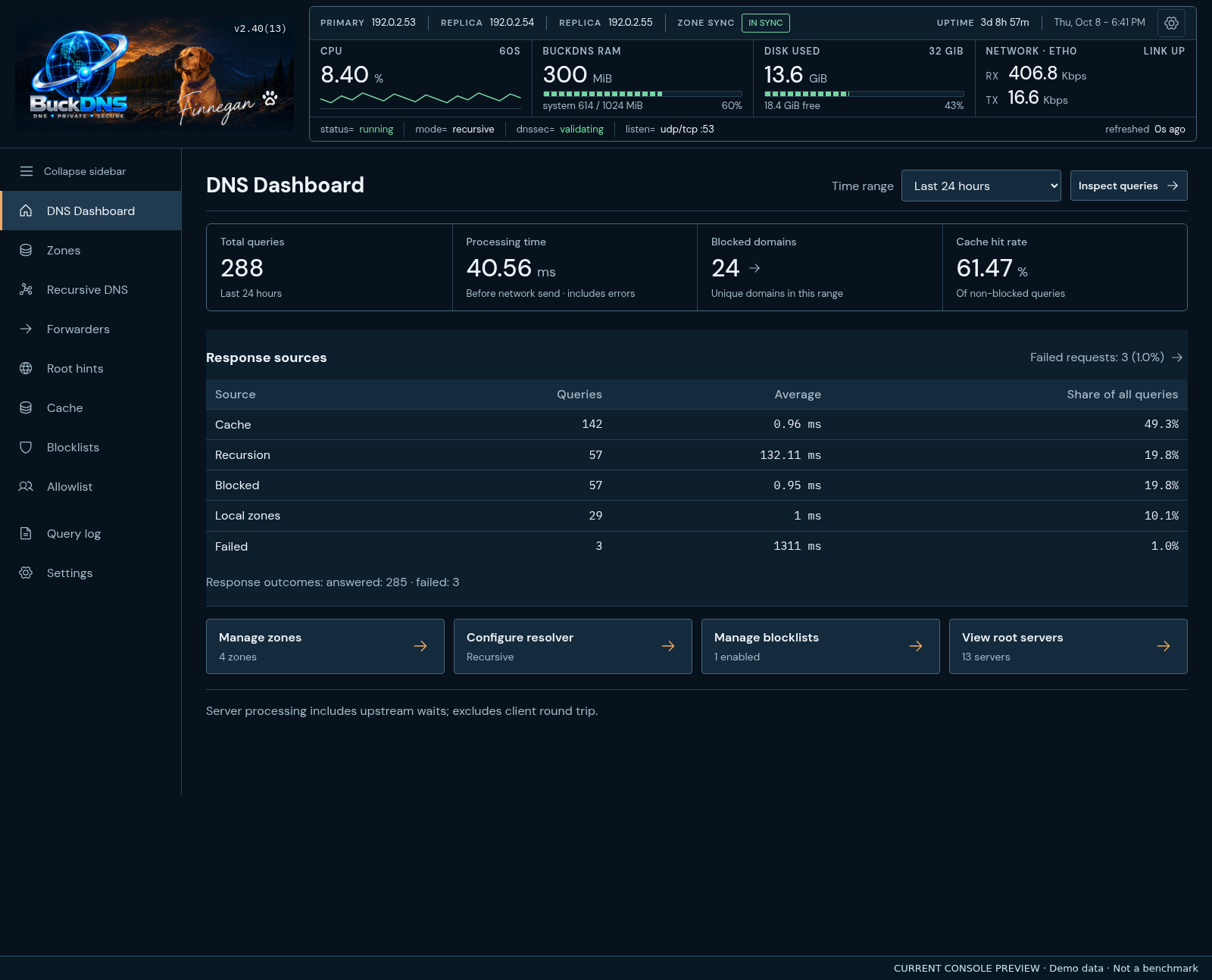
Choose an hour, six hours, 24 hours, seven days, 30 days, or since restart. Read total queries, processing time, blocked domains and cache hit rate in one compact row, with response sources below.
 View full size ↗
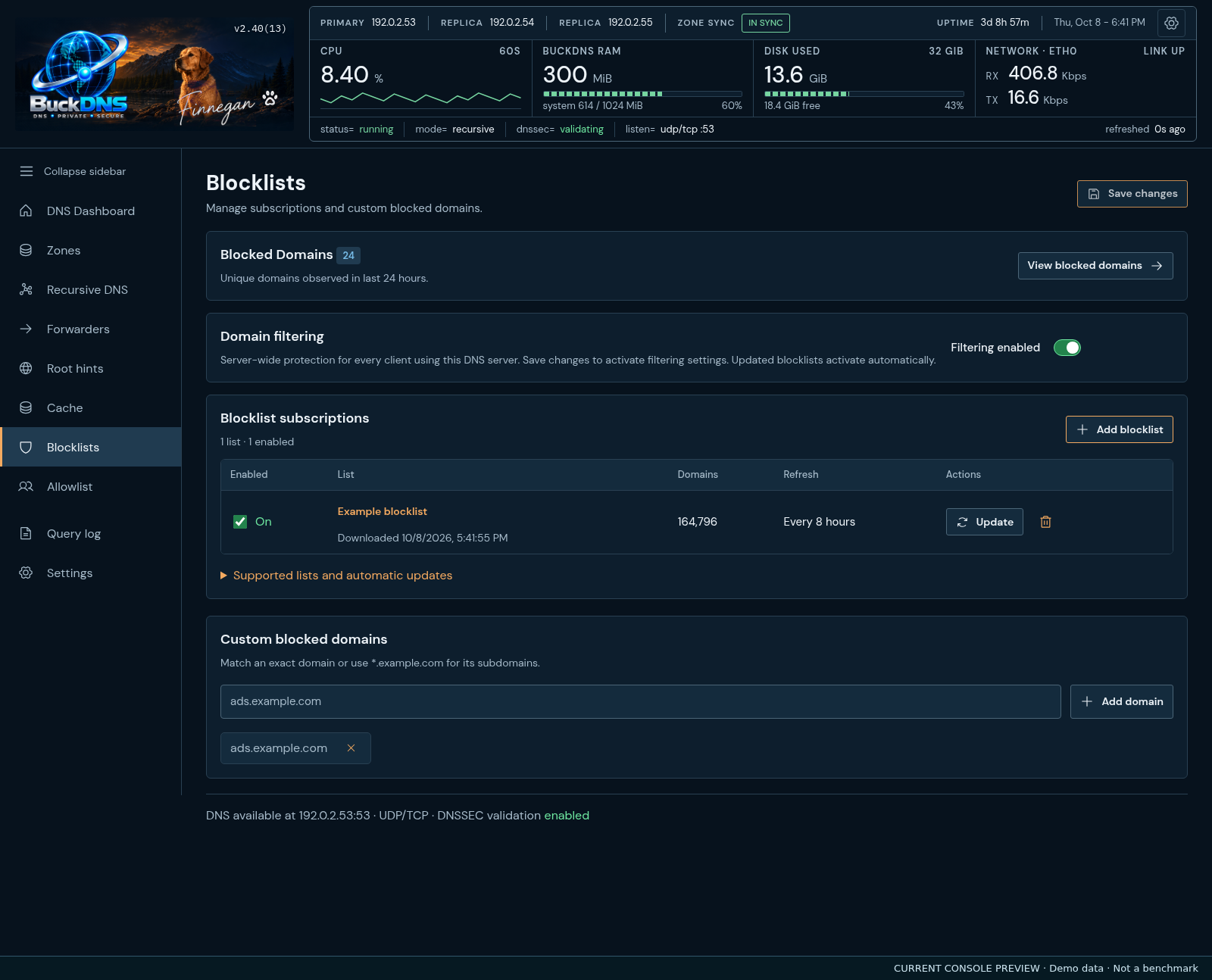
See list names, domain counts, refresh schedules and status in a readable table. Expand a list for its details and controls.
 View full size ↗
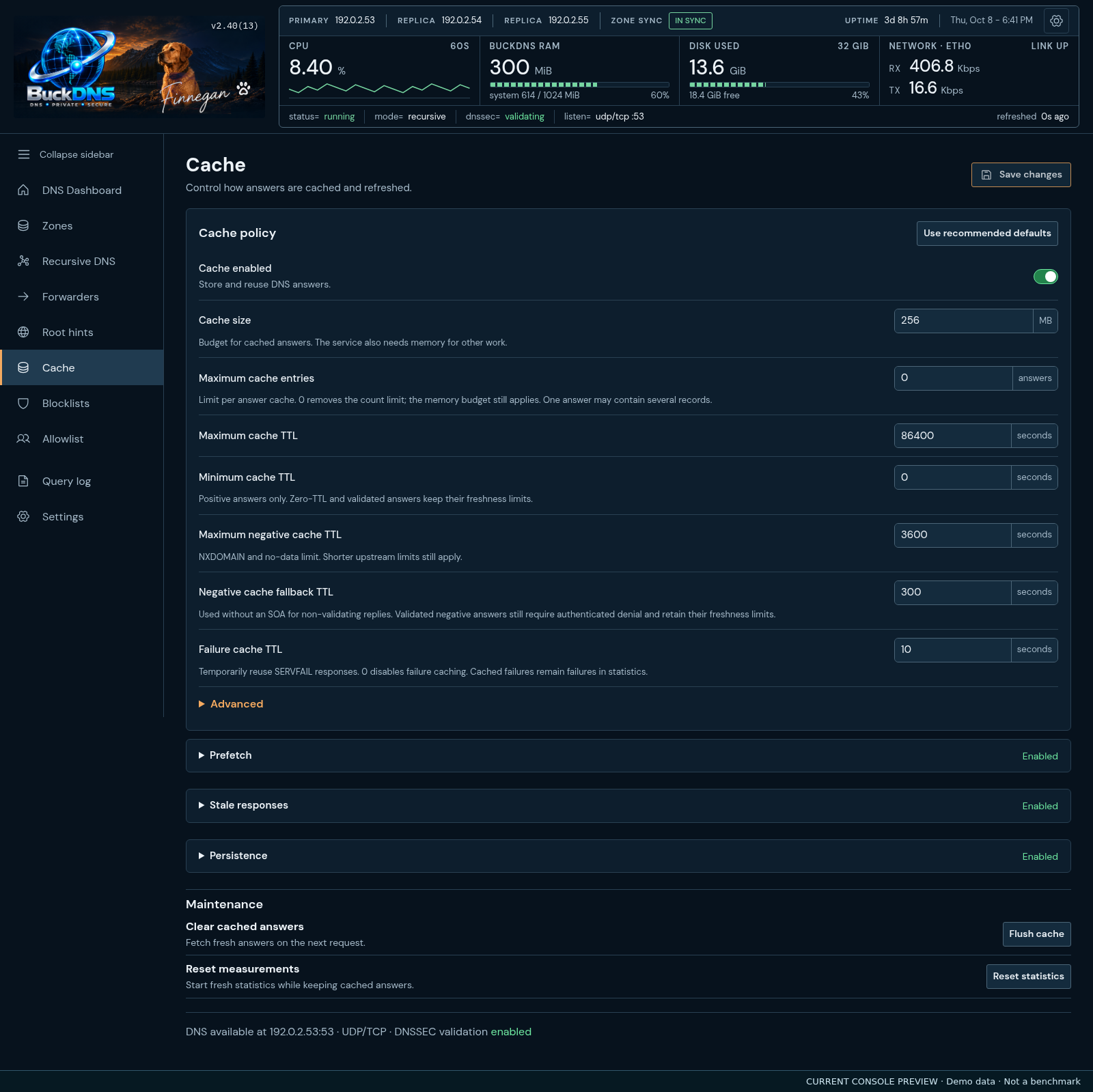
Set cache size and answer lifetimes first. Expand Prefetch, Stale responses or Persistence for more options. Flush cache and Reset statistics are separate maintenance actions.
 View full size ↗
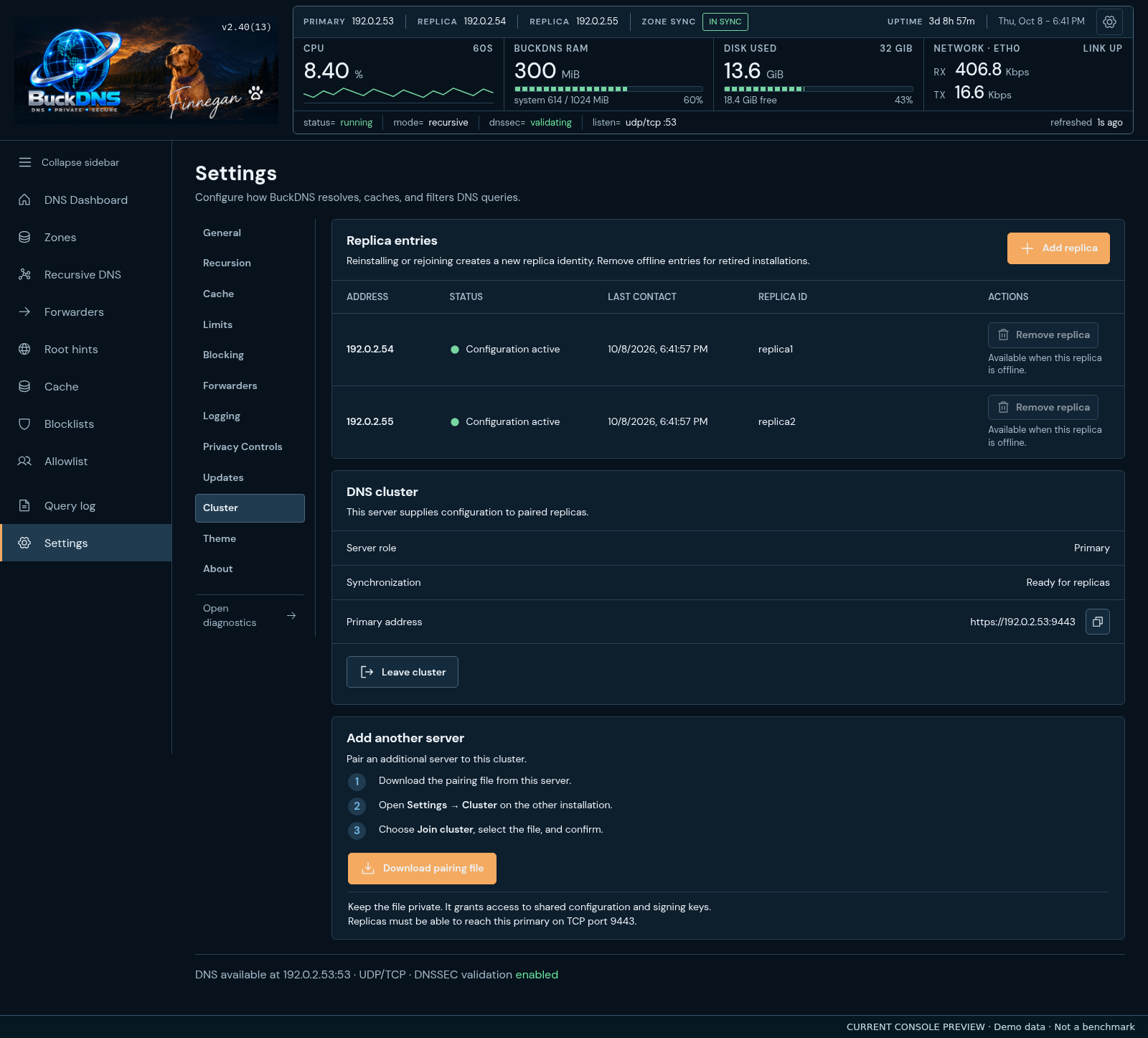
Pair replicas, inspect synchronization status and manage membership. Configuration edits stay on the primary; each server retains its own cache and statistics.
 View full size ↗
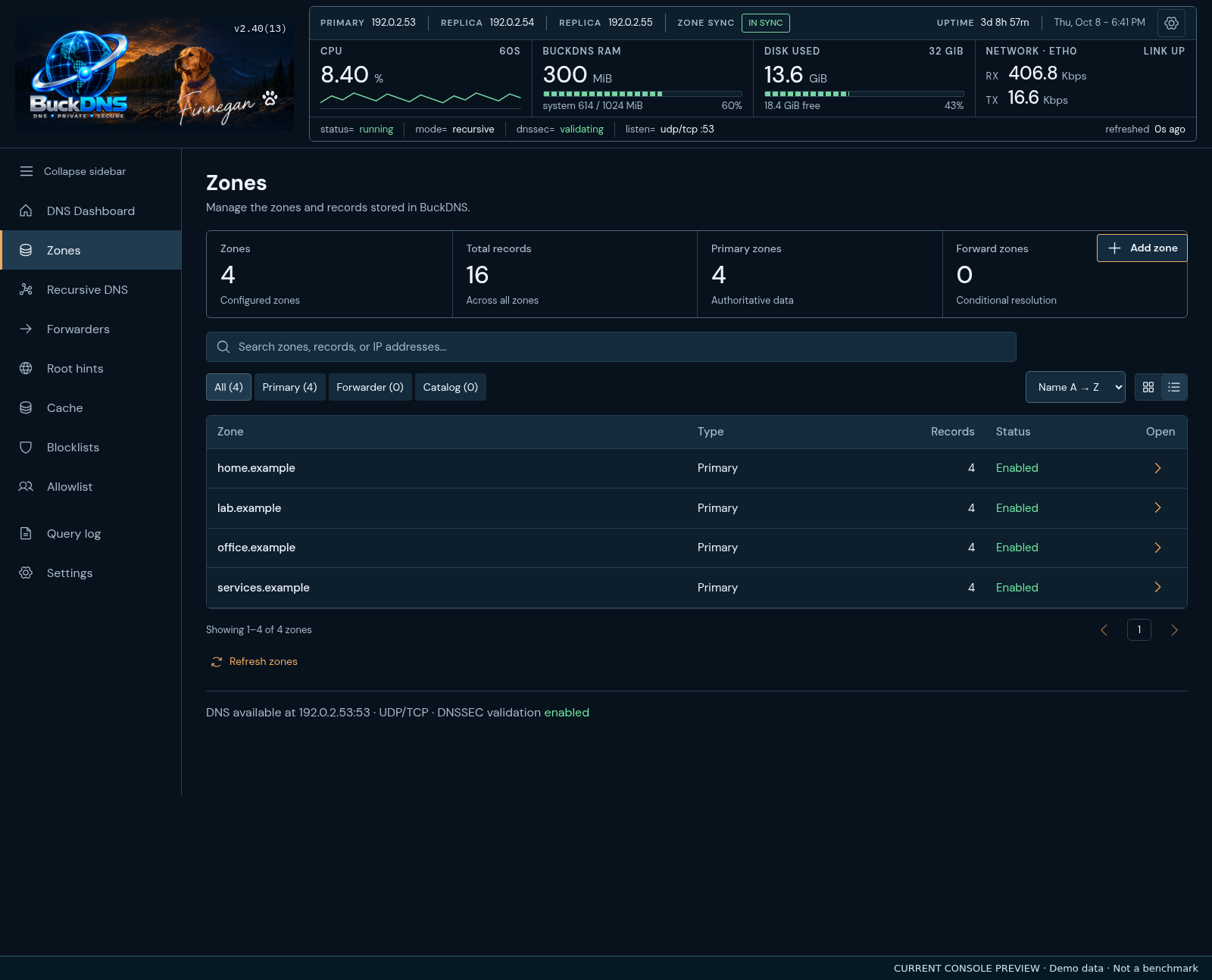
Browse zones in a searchable list, inspect records and manage local DNS alongside recursive resolution.
 View full size ↗
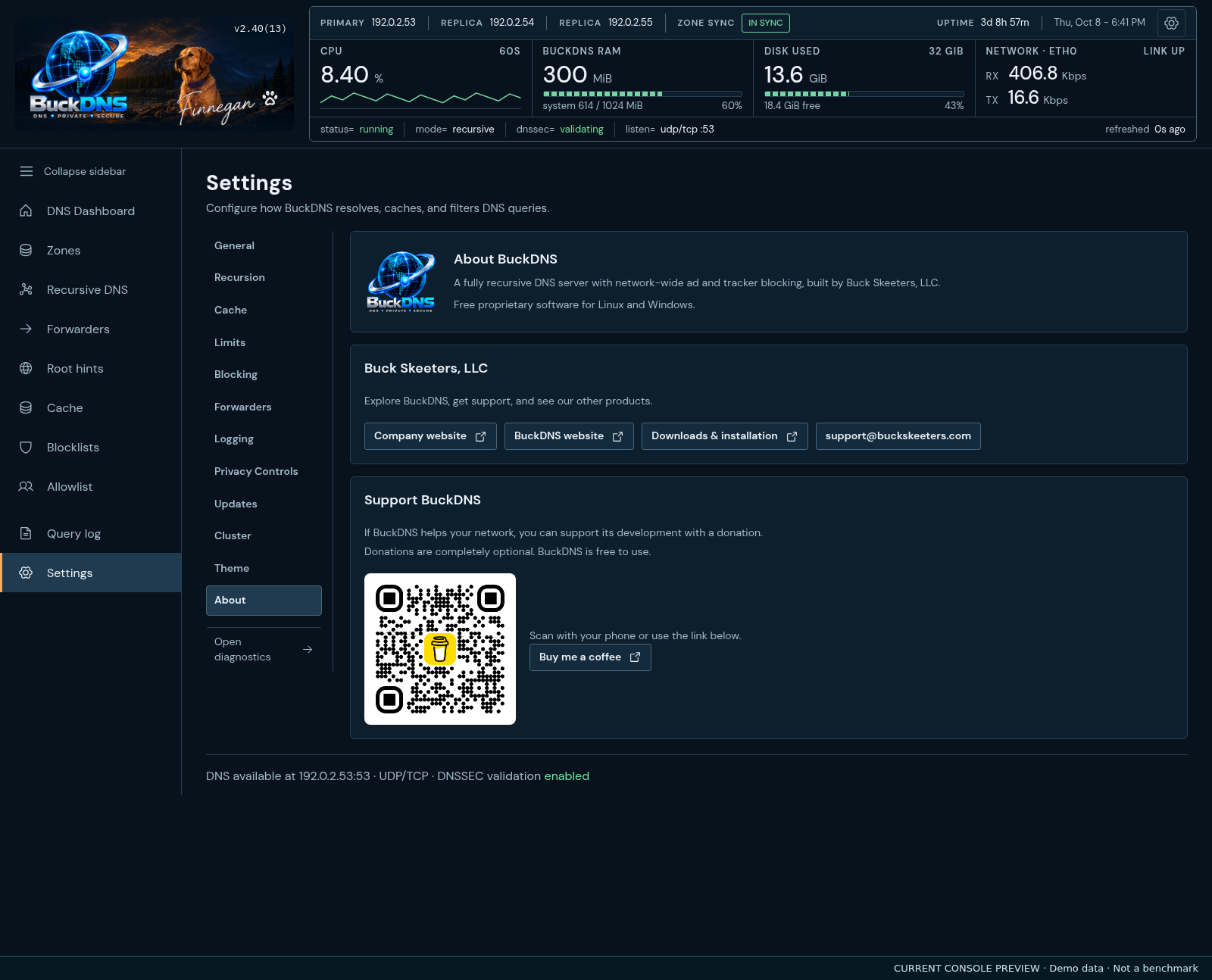
Version information and support details. Find manual updates in Settings → Updates and reporting preferences in Privacy Controls.
 View full size ↗
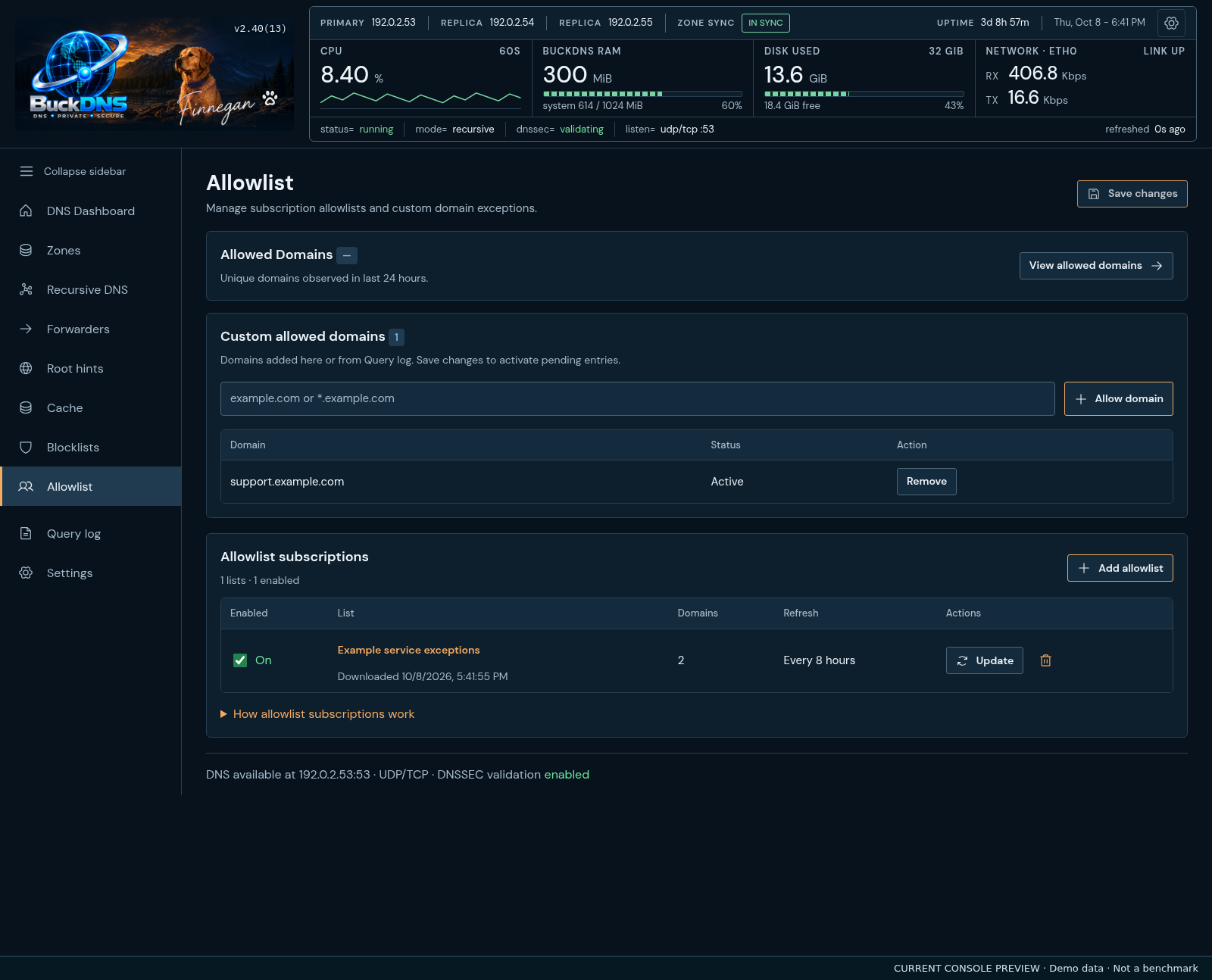
See manual exceptions first, with saved and pending states. Subscription names and counts stay visible; Save changes activates edits.
 View full size ↗
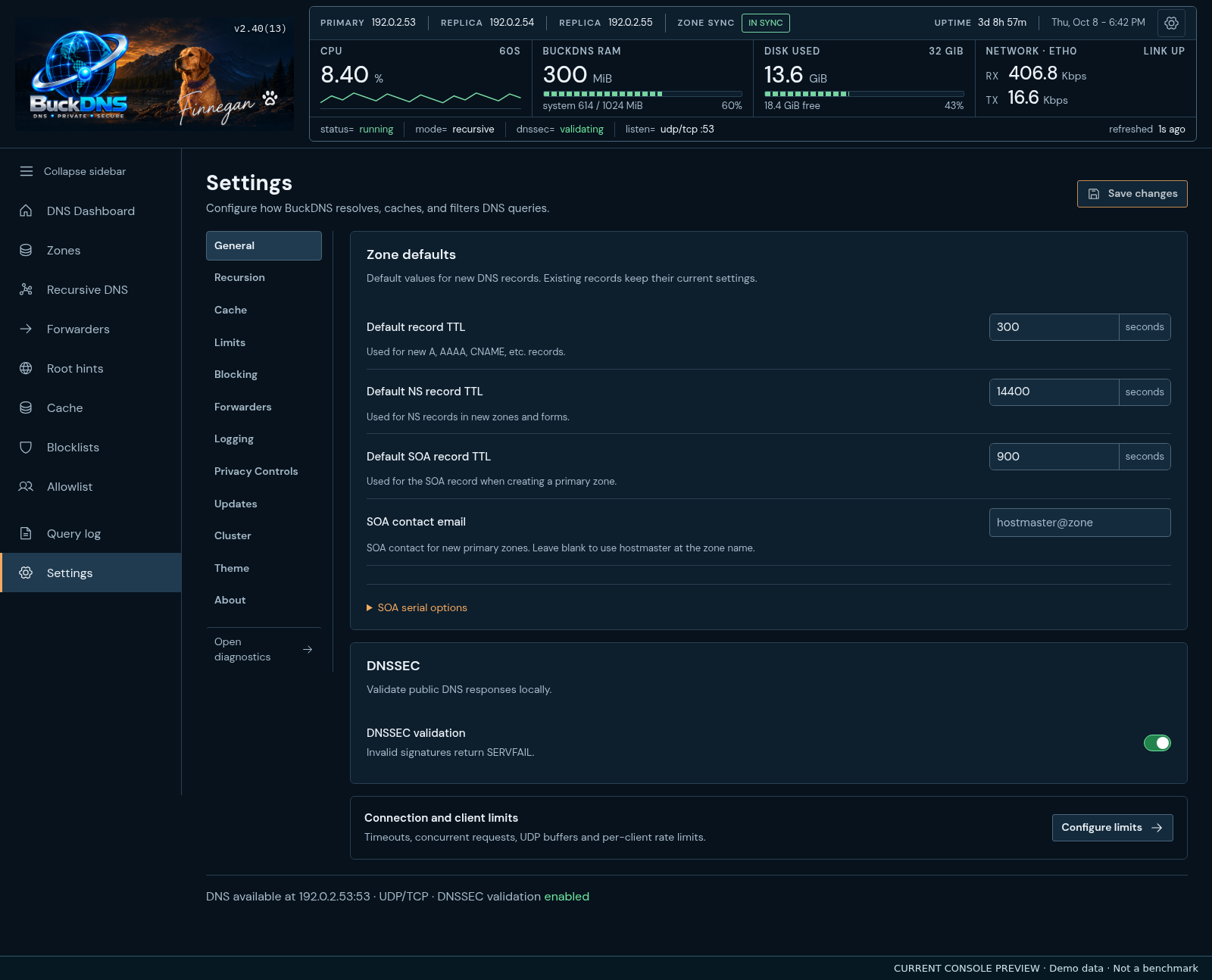
General groups zone defaults and DNSSEC. Connection timeouts, capacity, network buffers and client rate controls belong on Limits.
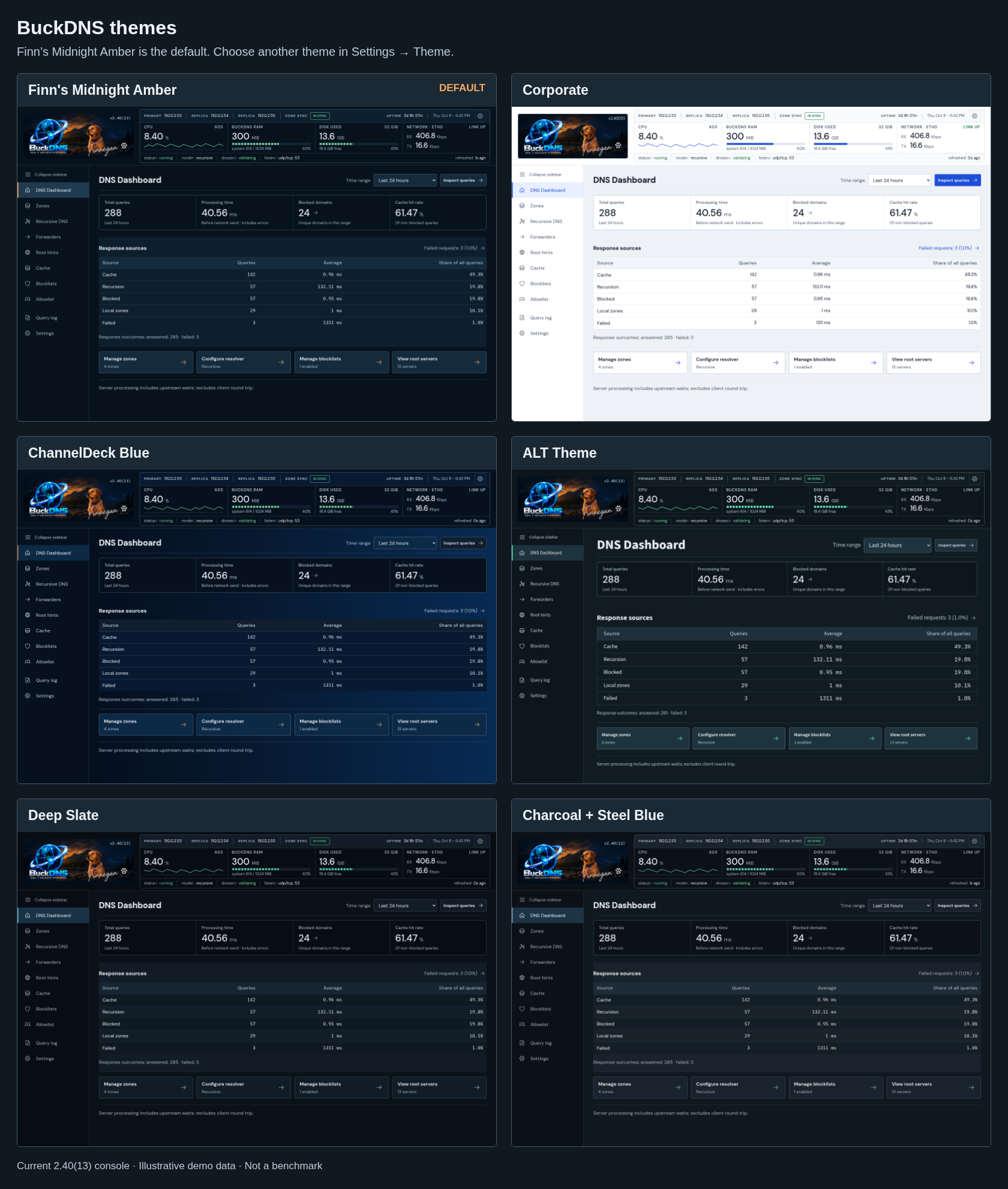 View full size ↗
Finn’s Midnight Amber is the default. Compare Corporate, ChannelDeck Blue, ALT Theme, Deep Slate and Charcoal + Steel Blue, then choose in Settings → Theme.
1 of 9 · Dashboard
Current console · Version 2.41(14)
Version 2.41(14) adds parallel nameserver discovery and reuse of recursive DNS infrastructure while preserving DNSSEC and TTL limits. Zone pages show current signing and activation results instead of obsolete migration warnings. Linux upgrades migrate application directories, service accounts, configuration and commands to BuckDNS names, retaining private pre-upgrade backups and existing settings, zones, signing keys, cluster identity and saved history. Choose from six working themes, including the light Corporate theme. Selected queries expose block and allow actions directly above the listing, including cached responses. Emergency DoH, DoT or direct recursion handles primary-forwarder failure, with automatic return after confirmed recovery. Recursive mode also supports encrypted emergency forwarding. DNSSEC policy, filtering, local zones and conditional routes remain enforced.
Windows installs and updates in place through an EXE setup wizard. Linux supports updates from the console with sudo authentication and live progress. Both downloads include system CPU, memory, disk, network and uptime statistics, six themes including Corporate, compact administration screens with readable text, and clear status indicators.
Installation check-ins are optional and off by default, including upgrades without a saved preference. Control query history, domain statistics, logging, retention and cache persistence from Settings → Privacy Controls.
Manual updates and automatic update checks are in Settings → Updates. Automatic checks default on and send no installation ID. Turning them OFF disables check-ins too: no automatic version ping, telemetry, anonymous check-in or background retry. Manual checks contact the service only when requested.
The overview defaults to 24 hours, with one-hour, six-hour, seven-day, 30-day and since-restart choices. Day, week and month totals use five-minute aggregates saved locally across restarts. New installations show when their available history began.
Blocklist and allowlist subscriptions show names, counts and refresh status in tables. Manual allowed domains appear first, with clear pending and active states. Changes take effect through Save changes.
Zone defaults and DNSSEC are on General. Network capacity and rate controls are on Limits. Cache and Forwarders have distinct sections, and the overview presents totals and response sources without a traffic chart.
Statistics history and individual query logs have separate retention limits. Reset statistics clears collected measurements on the current server; it does not flush DNS answers or erase the query log.
Control at the network level
Set BuckDNS as the DNS server for your devices to apply your network’s rules centrally. Devices must use BuckDNS for its filtering and reporting to apply.
Choose maintained blocklist providers, including HaGeZi, to block advertising and tracking domains. Choose subscription allowlists from HaGeZi and community sources, refresh exceptions automatically, or add your own allowed and blocked domains.
Select provider presets or configure your own DNS-over-HTTPS and DNS-over-TLS forwarders. Parallel forwarding races multiple upstreams and uses the first acceptable response. Reusable DoH connections reduce repeated connection setup.
Host DNS records for your own domains and internal services. Serve authoritative answers, aliases, wildcard records, and reverse lookups alongside recursive resolution. HTTPS and SVCB records are supported.
Validate signed DNS answers with BuckDNS’s own validator in recursive or forwarding mode. Host signed authoritative zones with managed signing keys and automatic signature renewal.
Inspect the requested domain, client, response code, returned answers, source, cache status, protocol and response time. Search and filter the query log, pause its live view, and export results.
Start from root hints and follow referrals through top-level domains to authoritative nameservers. BuckDNS resolves answers itself, without requiring a public DNS provider.
QNAME minimization limits disclosed query details during direct recursion. It is configurable; leave it disabled if an authoritative server’s response causes a compatibility problem.
Send queries for selected domains or reverse zones to specific DNS servers. Keep internal routing separate from your general recursive or forwarded lookups.
Configure cache capacity, recursion access, timeouts, concurrency, and client rate limits. Choose direct recursive resolution or upstream forwarding to suit your setup.
Automatic DNS path & server failover
Keep backup DNS resolution paths and another BuckDNS server available. Configure automatic path failover, pair your servers, and configure your network or devices to use both DNS addresses.
If direct recursion or the preferred forwarding provider fails, BuckDNS can switch to a configured backup resolution path: DNS-over-HTTPS, DNS-over-TLS, or direct recursion, as appropriate. Backup upstream providers are part of DNS path failover.
Run paired BuckDNS servers with synchronized settings. Configure your network or devices to use both DNS addresses so another server can answer when one is unavailable. Each server keeps serving DNS independently using its accepted configuration.
Health checks confirm an outage and verify the backup before switching. BuckDNS continues checking the preferred path and returns automatically after two consecutive successful recovery checks.
Fully recursive DNS · Built into BuckDNS
BuckDNS’s native DNS engine combines recursive resolution, authoritative zone serving, and forwarding. Choose the resolution mode that fits your network while keeping ad blocking, local rules, and reporting in the same console.
In recursive mode, BuckDNS starts with DNS root hints, follows referrals through the DNS hierarchy, and asks the authoritative nameservers for the answer. It follows aliases and caches useful responses for later requests.
In forwarding mode, send requests to your chosen providers over DNS-over-HTTPS, DNS-over-TLS, UDP, or TCP. Parallel forwarding selects the first acceptable response, with reusable DoH connections reducing connection setup.
Serve your own zones locally and forward selected domains to another resolver. Conditional routes use the most specific matching zone, so internal services and reverse lookups can follow their own DNS path.
Encrypted upstream connections apply to forwarding mode. Direct recursion queries the DNS hierarchy over standard DNS; DNSSEC validates signed answers. Optional QNAME minimization reduces disclosed query details.
Network-wide ad blocking
BuckDNS checks DNS requests against your selected blocklists and custom rules. Requests for blocked advertising and tracking domains are stopped at DNS, before devices connect to those domains.
Apply the same blocking rules to phones, laptops, smart TVs, and connected devices that use BuckDNS for DNS. No client app or browser extension is required for DNS blocking.
Use maintained lists from providers such as HaGeZi, add your own blocked domains, and keep needed services working with custom exceptions and subscription allowlists.
Use live query reporting to inspect blocked requests and identify the domains your devices request. Adjust your rules from the same console that manages your DNS.
If you are considering other network-wide ad blockers, explore BuckDNS for DNS-based ad and tracker blocking with full DNS management in one place.
Explore BuckDNS’s combination of full recursive resolution, ad blocking, authoritative zones, DNSSEC validation and signing, encrypted forwarding, persistent caching, and primary/replica configuration sync.
Cache controls · Version 2.41(14)
Set the cache budget, answer lifetimes, and refresh policy from one place. The same controls are available on the Cache page and under Settings.
Prefetch popular records before their TTL expires. Choose the refresh threshold, minimum requests, popularity window, and minimum eligible TTL. Refreshing stops when requests stop.
Save useful answers periodically and during clean shutdown. On restart, BuckDNS deducts elapsed time and restores compatible, unexpired answers. Each server keeps its own cache.
Use Flush cache to clear cached answers and the saved cache on the server you are viewing. Confirm the action and see the result without restarting DNS.
Defaults include a 256 MB cache budget, a 24-hour maximum positive TTL, a 60-second negative TTL cap, and cache persistence every five minutes. Shorter upstream negative-cache limits still apply. Optional stale responses are available when upstream resolution fails and DNSSEC validation is disabled.
Primary / replica clustering
Pair a second BuckDNS installation over an authenticated TLS connection. Make changes on the primary and the replica automatically receives the shared configuration.
Each server keeps its own listener address, query history, statistics, and answer cache. A disconnected replica continues using its last accepted configuration and catches up when the connection returns.
The replica serves DNS but configuration edits remain on the primary. Automatic promotion to a writable primary is not included.
Built for an internal network
BuckDNS 2.41(14) includes the compact administration console, six working themes including Corporate, visible query actions, forwarding failover, optional installation reporting and dedicated Privacy Controls and Updates sections. It is available as a Debian .deb or a Windows x64 package with its runtime included. Linux uses systemd; the installer automatically installs missing .NET 10 and ASP.NET Core 10 runtimes. BuckDNS runs entirely in .NET.
Run it on a compatible Linux machine, VM or container, or a Windows machine with an assigned private IPv4 address.
A few useful details
No. Fully recursive mode resolves directly through root, top-level domain, and authoritative nameservers. You can instead choose forwarding mode with an upstream provider, including encrypted DoH or DoT connections.
No client app is required for standard DNS. Devices use BuckDNS through their network DNS configuration. Devices using a separate DNS service, including their own encrypted DNS, can bypass these rules.
No. LAN clients use standard DNS over UDP or TCP. DNS-over-HTTPS and DNS-over-TLS encrypt the connection from BuckDNS to your chosen upstream provider. Client-facing encrypted DNS listeners are outside this release’s scope.
DNS filtering blocks domains on your selected lists. It cannot remove every advertisement, including ads delivered from the same domains as the content you want. Custom allow rules can restore domains blocked by filtering. An NXDOMAIN response can also come from an upstream or authoritative DNS server; an allow rule does not repair a resolution failure.
Cache persistence is enabled by default. Useful answers are saved every five minutes and during clean shutdown, then restored after restart with downtime deducted from their TTLs. Expired answers and snapshots from incompatible configurations are discarded. Query history is retained on disk within bounded limits: up to 24 hours, 10,000 readable queries, and a 32 MiB disk budget. Cache results depend on your traffic and the lifetimes set by the domains you query.
Yes. The first eight screenshots show the 2.41(14) console in the default Finn’s Midnight Amber theme. The final split-screen image compares all six themes. The same layouts and all six themes are included in both downloads. Installations with automatic checks enabled receive update notifications; installation requires administrator action.
BuckDNS is under active development. Version 2.41(14) runs entirely in .NET and includes multicore DNSSEC validation, shared key and delegation caches, MLDSA44 support, persistent caching, background prefetch, Flush cache, primary/replica synchronization, subscription allowlists, and HTTPS/SVCB DNS record resolution. Cache entry limits, stale-answer timing, failure caching, seconds-based prefetch, application logging and statistics retention are configurable. Upstream DNS-over-QUIC, automatic cluster promotion, and web-console account authentication are not included. Keep administration accessible only to trusted users on your internal network.
BuckDNS 2.41(14)
Download the free Linux or Windows package and review the setup instructions. Contact Buck Skeeters for help with your network.
Download BuckDNSBuckDNS is free proprietary software. Setup includes Terms and Privacy Notice acceptance. Installation check-ins are optional and off by default. Automatic update checks have a master opt-out; DNS keeps working when updates and reporting are disabled.
Downloads and setupTermsPrivacy